Your AI asks.
Your ERP answers.
With facturado's MCP server, the AI you already work with analyses your revenue, documents, customers and articles — with exactly your user rights and strictly read-only. Behind it sits a complete ERP from quote to e-invoice, in the browser.
"Which quotes above €5,000 have been open for more than 30 days?"
via MCP · read-only
Two ways to talk to your data
With your own AI through the MCP server — or with the built-in assistant, whose models run on our own servers in Germany. You choose, depending on where your data may go.
MCP server
Claude, ChatGPT or Cursor reach facturado through fixed tools: customers, articles, documents, line items and totals. The AI compares, calculates and builds tables — facturado supplies the figures.
- Sign-in through claude.ai or ChatGPT, or a personal key
- Strictly read-only, with your user rights only
- Every connection revocable on its own, every call logged
Built-in AI
The assistant in facturado answers plain-language questions and reads incoming invoices from PDF, photo or XML — without an outside AI vendor.
- Plain-language questions: "What did we invoice Müller this year?"
- Capture incoming invoices and delivery notes automatically
- On our own servers in Germany — no training on your data
Talk to the AI about how your business is doing
In your own words — facturado supplies the figures, your AI the analysis.
"Compare revenue over the last four quarters and show the trend as a table."
"Which customers had revenue last year but no order yet this year?"
"Which quotes above €5,000 have been open for more than 30 days?"
Whatever your AI queries goes to its provider — if nothing may leave the house, use the built-in assistant. More about the MCP server →
Every document in its place
The data your AI analyses is created in facturado: outgoing documents are created from one another, incoming ones are linked to the right transaction. So the complete document chain for every customer and supplier sits in one place.
Outgoing documents
- 1 Quotes with your own line items and prices
- 2 Order confirmation from the quote — one click
- 3 Delivery note, partial deliveries included
- 4 Invoice as ZUGFeRD e-invoice
- 5 PDF delivery by email straight from the document
- 6 Dunning and payment tracking Under development
Incoming documents
- 1 Incoming invoices via AI from PDF, photo or XML
- 2 Enquiries to multiple suppliers at once
- 3 Purchase orders with goods receipt
- 4 Incoming invoice linked to its transaction
- 5 E-invoice reception by email forwarding Under development
What facturado looks like
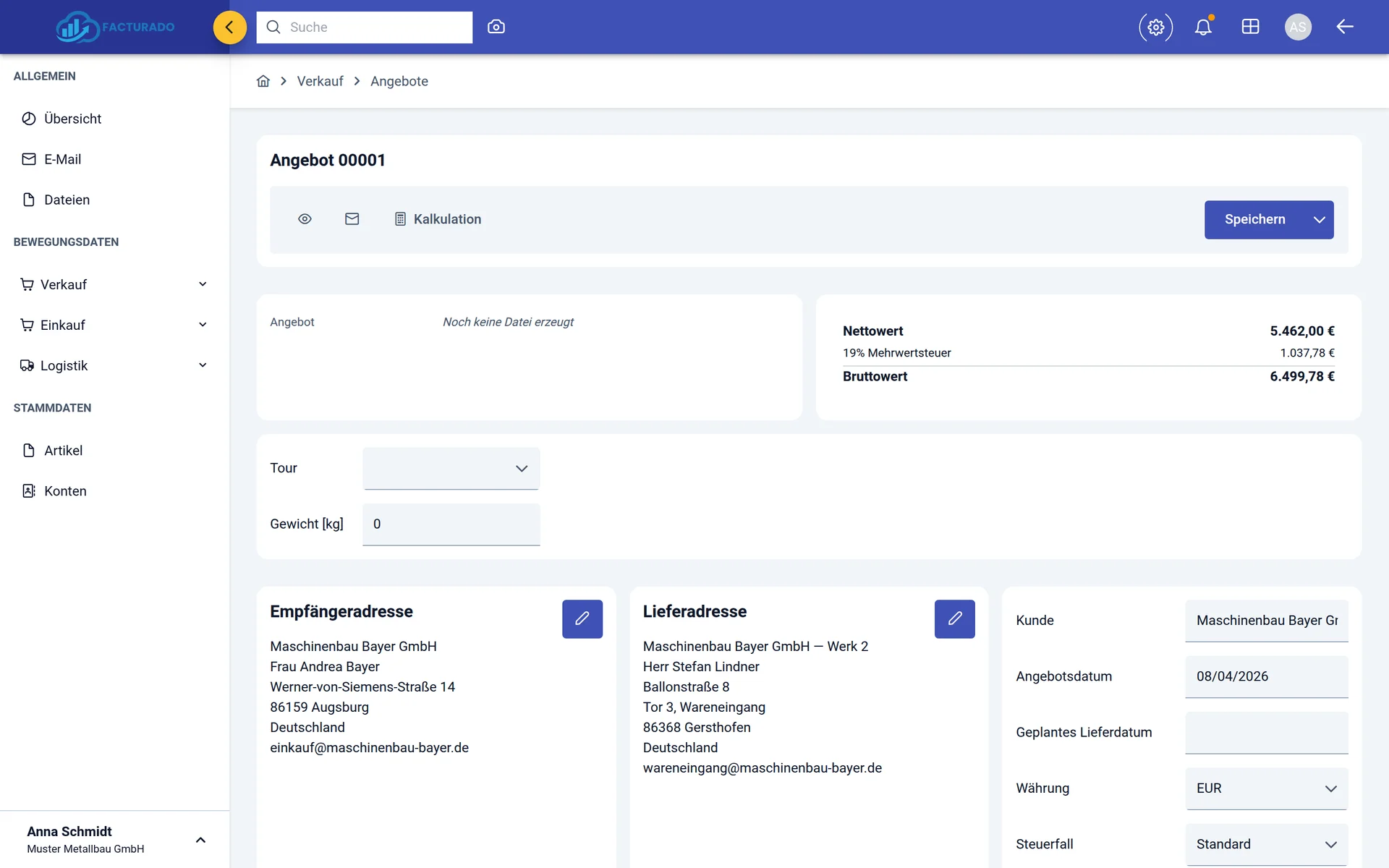
No mock-ups — real screens from the Starter plan.
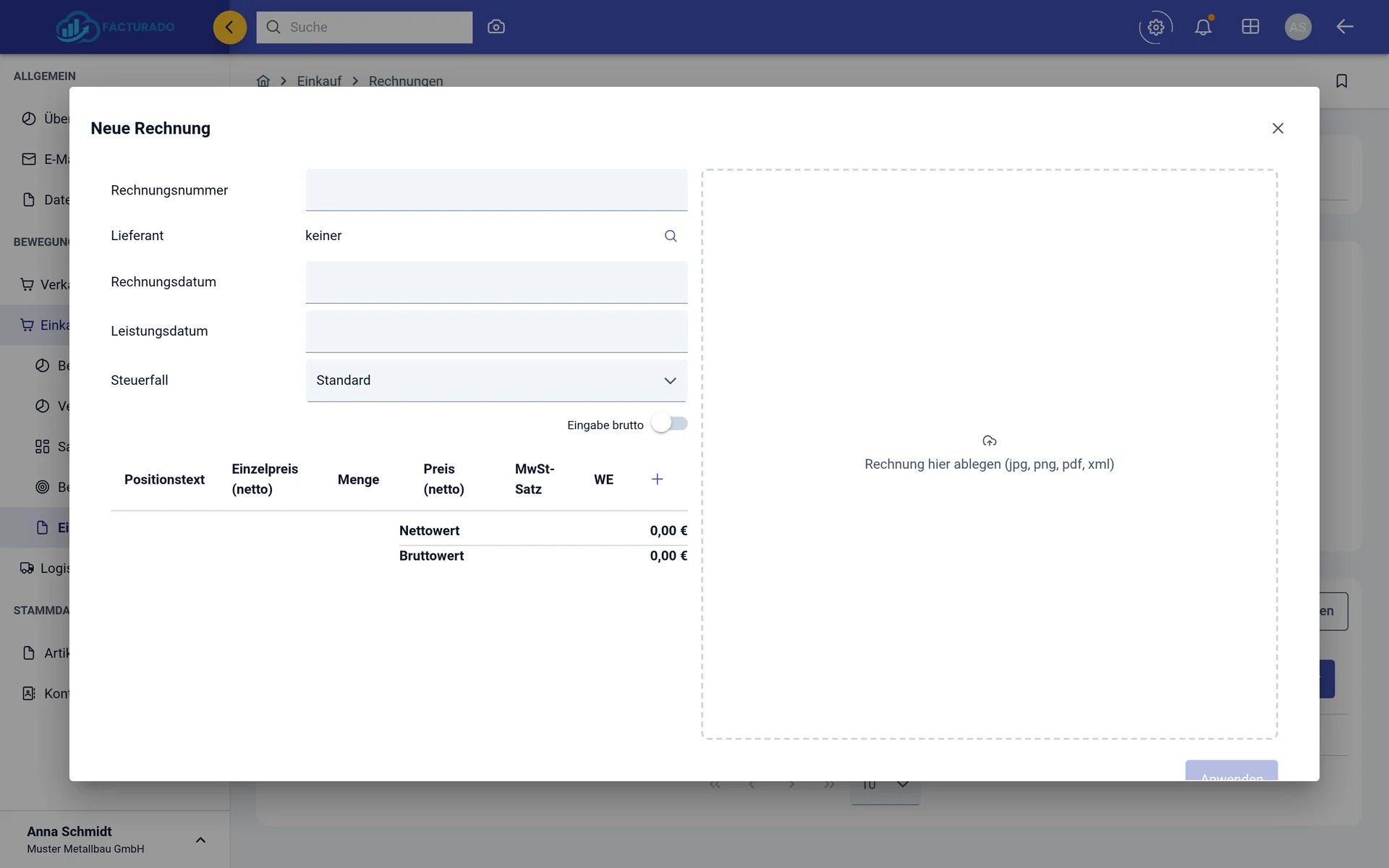
Filing an incoming invoice: PDF, photo or XML
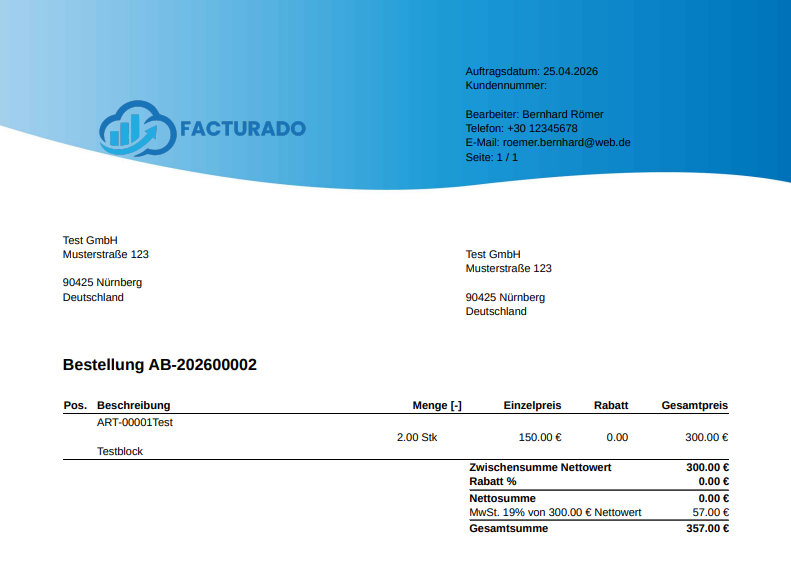
Your document as a PDF — with your own logo
Explained in a minute
Three steps to your first question to your ERP
No project, no training, no consulting days. The guide walks you through the setup click by click.
- 1
Book a plan and the MCP server
Online, right on this page: a plan — the first 14 days are free — and the MCP server as an add-on.
- 2
Enter your data
Company details, customers, articles and first documents — whatever you record here, your AI can analyse later.
- 3
Connect your AI
Add the facturado address as a connector in claude.ai or ChatGPT and sign in — or create a key for Claude Code or Cursor. Then ask.
New product, experienced team
facturado is a new product — the team behind it is not: we have been building ERP systems for more than 10 years. We cannot show you a list of facturado references yet, but we can offer something the big vendors rarely do.
You talk to the developers
No hotline queue: your question reaches the people who build facturado — with more than 10 years of ERP experience.
Your feedback shapes the product
What you miss in daily work goes straight into our planning.
Honest about what is ready
Features still in progress are marked "Under development" on this page — we promise nothing that does not exist yet.
You decide who reads your data
The built-in assistant runs on our own servers in Germany, with no training on your documents. With the MCP server you choose which AI gets access — and with which rights.
Transparent. Scalable. Fair.
Starter fully covers documents and e-invoicing. Professional adds inventory management once you keep stock. AI document capture is included in both plans.
Starter
Create documents, send e-invoices, capture incoming invoices with AI.
- AI assistant for your ERP data
- AI document capture for incoming invoices & delivery notes
- E-invoicing in ZUGFeRD format
- Quotes & order confirmations
- Delivery notes & goods receipts
- Outgoing invoices & dunning
- Enquiries to multiple suppliers
- Purchase orders & incoming invoices
- Customer & supplier master data
- PDF export & email delivery
Professional
Starter plus inventory management — for businesses that keep stock.
- Everything in Starter
- Inventory management & postings
- Full transaction tracking
- Stock postings on goods receipt & issue
- Picking, packages & tours
- Storage location management
- Stock reports & analysis
✨ AI assistant and document capture included in every plan — at no extra cost
MCP server add-on: connect your own AI such as Claude or Cursor — €5 per user / month
Any questions? Feel free to reach out. info@facturado.de
What to know before you buy
What is an MCP server?
The Model Context Protocol (MCP) is an open standard through which AI assistants reach other systems. Instead of exporting data from the ERP and pasting it into a chat window, the AI asks facturado itself, through fixed tools.
Which AI can I connect?
claude.ai and ChatGPT by sign-in as a connector, Claude Code, Cursor and other MCP clients with a personal key. It requires the MCP server add-on for €5 per user per month.
Can the AI change or delete data?
No. Every tool the MCP server offers today only reads — and only what the user may read themselves. Creating small records such as tasks and notes is under development; documents, prices, master data and bookings stay off limits for the AI.
Where does my data go?
Whatever your AI queries through the MCP server goes to that AI's provider — for most large providers, to the US. Use a business plan there with a data processing agreement. facturado's built-in assistant, by contrast, runs on our own servers in Germany and is not trained on your data.
Does facturado create e-invoices?
Yes, in ZUGFeRD format following the European standard EN 16931, sent by email. Since 01.01.2025 every business in Germany must be able to receive B2B e-invoices. From 2027 sending becomes mandatory for businesses with more than €800,000 turnover in the previous year, from 2028 for everyone.
Can I import incoming invoices?
Yes. Drop the incoming invoice as PDF, photo (JPG/PNG) or XML and the AI reads the data. Automatic import via email forwarding is under development.
Do I need to install anything?
No. facturado runs in the browser — on any computer, without installation and without updates for you to manage. For the MCP server you only add an address to your AI.
How is billing handled?
Per user per month, depending on the plan — the first 14 days are free. The MCP server comes on top as an add-on for €5 per user per month. Prices are shown in the plan overview above; term and cancellation are governed by our terms of service.
Ready to ask your ERP?
Try facturado free for 14 days — with the MCP server add-on you connect your own AI. We answer your questions personally.